GoHighLevel fulfillment
NativeAppointments, communications, invoices, course activity, and other client-fulfillment records from the merchant's own sub-account.
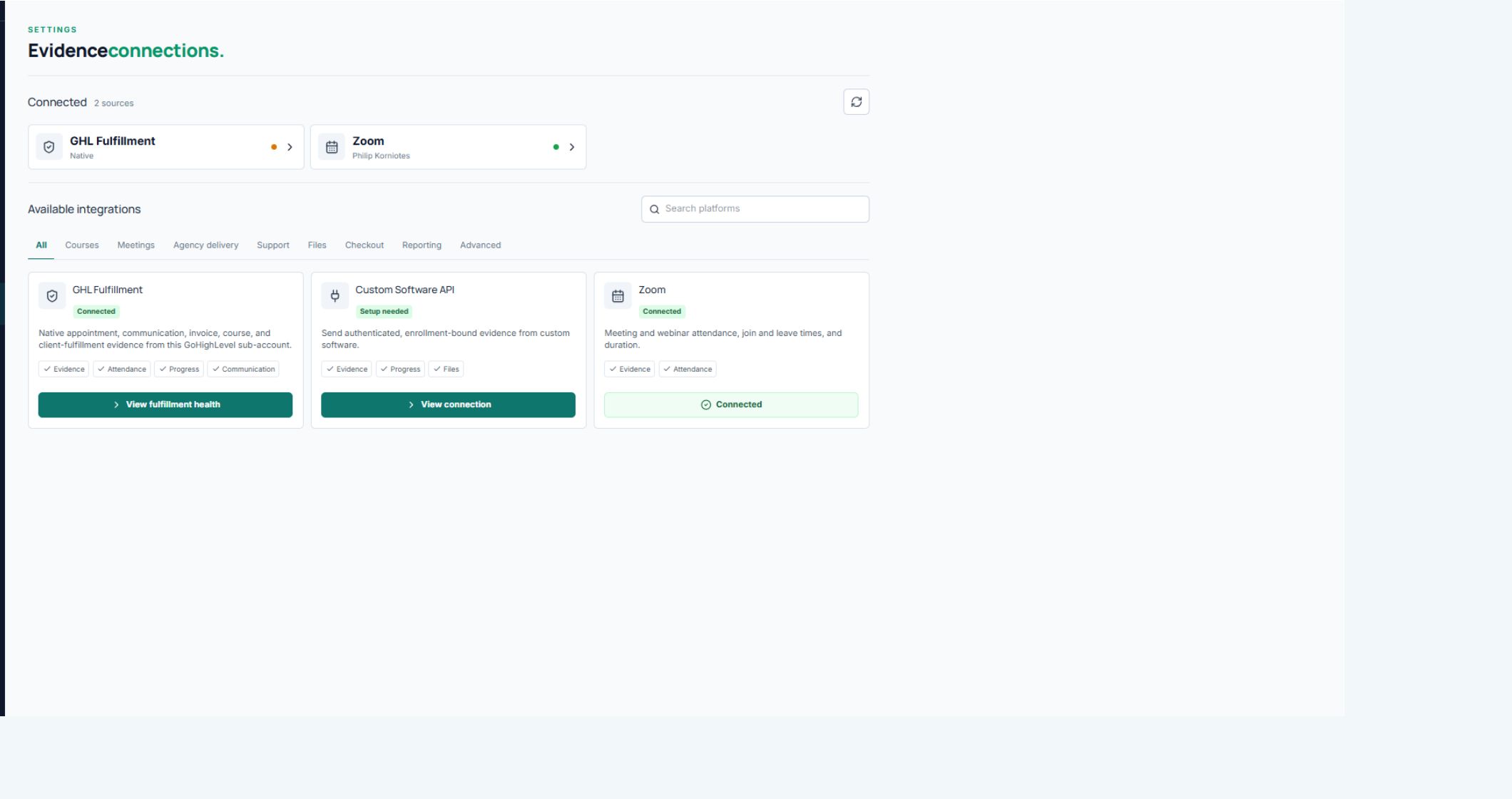
Evidence connections
ScaleSafe connects the systems you use to communicate and fulfill, then keeps useful activity with the client program it belongs to.
Working foundation
GoHighLevel is the native operating environment. Zoom and custom software can add delivery activity that would otherwise live outside the client record.
Appointments, communications, invoices, course activity, and other client-fulfillment records from the merchant's own sub-account.
Meeting and webinar attendance, join and leave times, and duration from the merchant's own Zoom account.
An authenticated Evidence API for software that can send client activity using a ScaleSafe enrollment reference.
Automatic matching
ScaleSafe uses the merchant account, client identity, program timing, and known resource or enrollment references to connect activity to the right program. Once connected, normal fulfillment activity continues to arrive automatically.
Integration catalog
The next integrations focus on the places where merchants teach, meet, manage projects, share deliverables, and support clients.
Kajabi, Teachable, Thinkific, Circle, Mighty Networks, LearnWorlds, LearnDash, MemberPress, and other course platforms.
Google Meet, Calendly, and other sources that can help confirm scheduled and attended client sessions.
ClickUp, Asana, monday.com, Teamwork, client portals, approvals, tasks, deliverables, and project activity.
Merchant-selected support conversations, client-facing files, acknowledgements, and delivery records.
Merchant setup
Open Evidence Connections inside the merchant's ScaleSafe account.
Sign in through the provider or follow a short API-key or webhook setup.
Review suggested matches between the provider's courses, projects, or services and ScaleSafe offers.
Run a test, then use connection health to confirm evidence continues to arrive.
ScaleSafe private beta
Tell us which systems you use. Private-beta setup focuses on the smallest useful connection for your business.
Request beta access